

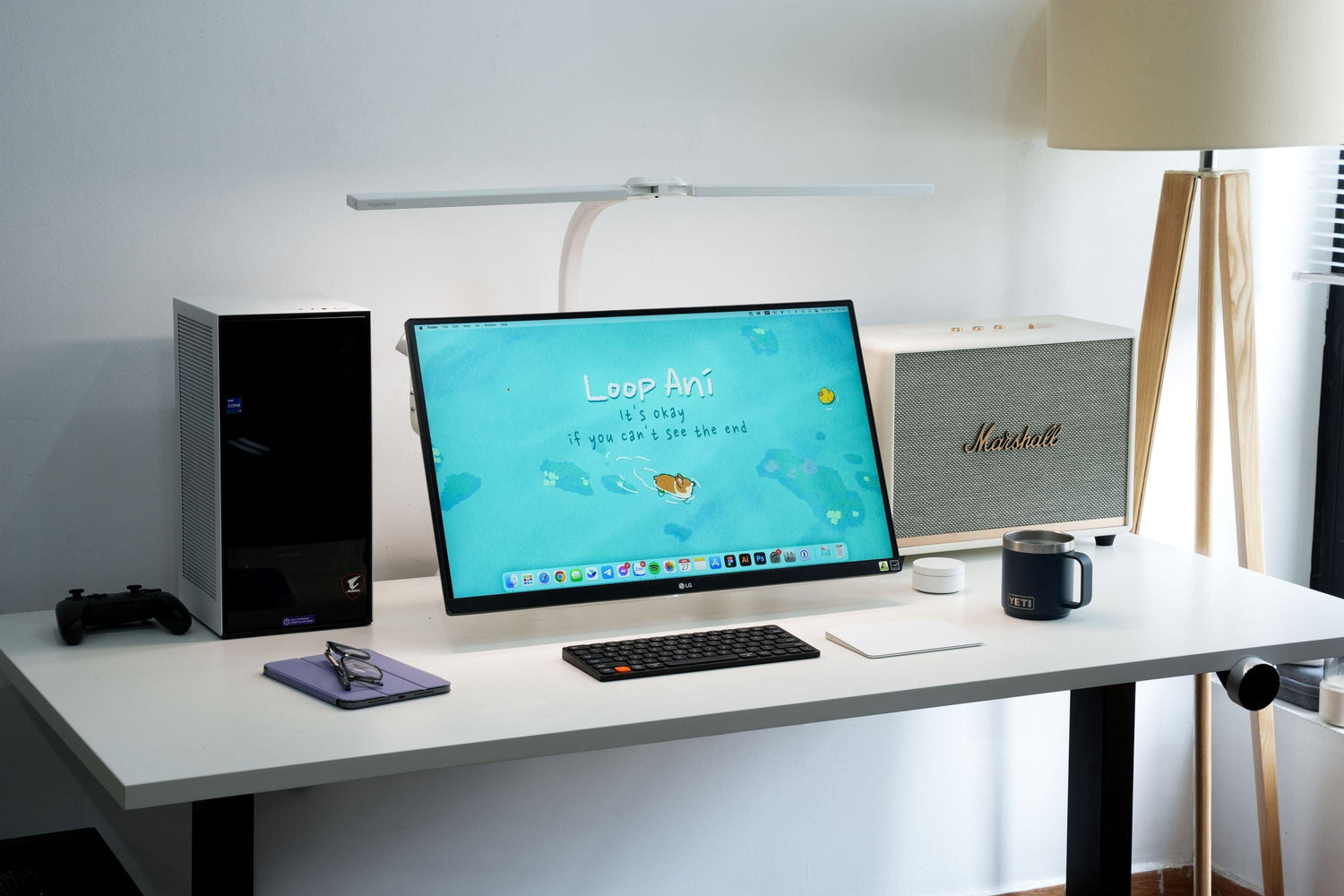
White setups have always been a favorite among many setup enthusiasts due to their minimalist, elegant, and modern aesthetic. Moreover, a white-themed setup helps its owner feel more professional, boosting focus and enthusiasm for their goals when sitting down to work.
\nHowever, when considering investing in a white-themed setup, many people hesitate, wondering if black or wood tones would be less prone to showing dirt. This makes white setups a less common choice, as they can be challenging to clean and maintain their pristine appearance. HyperWork suggests a few ways to tackle stains on white setups across different materials and accessories.
\n- White PCs
\nElectronic devices like cases, monitors, mice, keyboards, speakers, etc., in white versions always catch the eye with their modern and sophisticated look. When placed in a personal space, these devices stand out, brightening the overall setup. However, cleaning white electronic devices is not easy and requires care to avoid damage and protect internal circuits.
\n4 crucial tips for cleaning your PC include:
\n- Disconnect all devices
\n- Ensure you use specialized cleaning solutions and do not pour them directly onto electronic devices
\n- Avoid using water; opt for a damp cloth instead
\n- Wipe and dry each device as needed before reconnecting and using it again.
\n
Below are a few steps and methods you can follow in order to deal with dust – the primary cause of dullness and dirt on white electronic devices.
\n- Prepare tools such as a cleaning brush, soft cloth, soft brush, flashlight, compressed air duster, silicone gel, cotton swabs, anti-static gloves, etc.
\n- Use a soft, clean cloth to wipe the top cover and the exterior of the case (this can be done after you've cleaned dust-accumulating areas inside components like heatsinks and hard drives). For some cases with external details, you can also use an air blower to more easily remove dust.
\n- Use a specialized compressed air duster to clean your laptop by slowly and sequentially spraying air into the keys to remove dust between them.
\n- For white mechanical keyboards, cleaning will be more complex. You'll need to remove the keys to clean each keycap. Use isopropyl alcohol solution, dampen a clean cloth, wipe each key, and reassemble once finished.
\n- For monitors, only use a cloth or specialized cleaning solution. The white outer casing of the monitor can be wiped with a cloth dampened with an alcohol solution, similar to cleaning keycaps.
\n- White mice are harder to keep clean due to frequent contact with sweat from users' hands. Therefore, you can use grip tape to help keep your mouse looking new and white.
\n
2. White Walls
\nWhite walls also bring a sophisticated, trendy look to your setup. However, over time, stains or yellowing may still appear. You should pay attention to any abnormalities on white walls and address them immediately with a soft, damp cloth.
\nIf this doesn't work, you can try baking soda for cleaning. Many users also keep wall paint on hand at home to easily \"fix\" white walls.
\n
3. White Curtains and Rugs
\nCurtains and rugs can be cleaned by regular vacuuming to prevent dirt from embedding deep into the fabric fibers. Baking soda can also be used to clean white rugs and curtains by sprinkling a moderate amount onto the soiled area, spraying it with hot water, and letting it sit for 30 minutes to an hour. For weekly cleaning, you can also use bleach to soak white curtains and rugs to remove stubborn stains and discoloration.
\n
Alternatively, you can take white curtains and rugs to a professional cleaning service for steam cleaning to avoid affecting other items in your washing machine.
\n4. White Mesh Chairs
\nWhite mesh chairs are more prone to getting dirty than black ones due to sweat. Clean the chair's components sequentially: the mechanical parts (metal) with a damp cloth and polishing wax, and the armrests (plastic or hard leatherette) with a damp cloth. For the mesh part, to minimize sweat buildup, you should place an old cloth over it each time you sit to reduce it as much as possible.
\nIf the mesh is already dirty, even with stubborn stains, you can use a specialized foam spray cleaner to wipe, scrub, and clean it.
\n
Choosing a white setup means you'll need to be more diligent with regular cleaning for your personal workspace and entertainment area. Nevertheless, white setups still hold a captivating \"magic\" for enthusiasts of this aesthetic, don't they?
" } ```




Leave a comment
This site is protected by hCaptcha and the hCaptcha Privacy Policy and Terms of Service apply.