
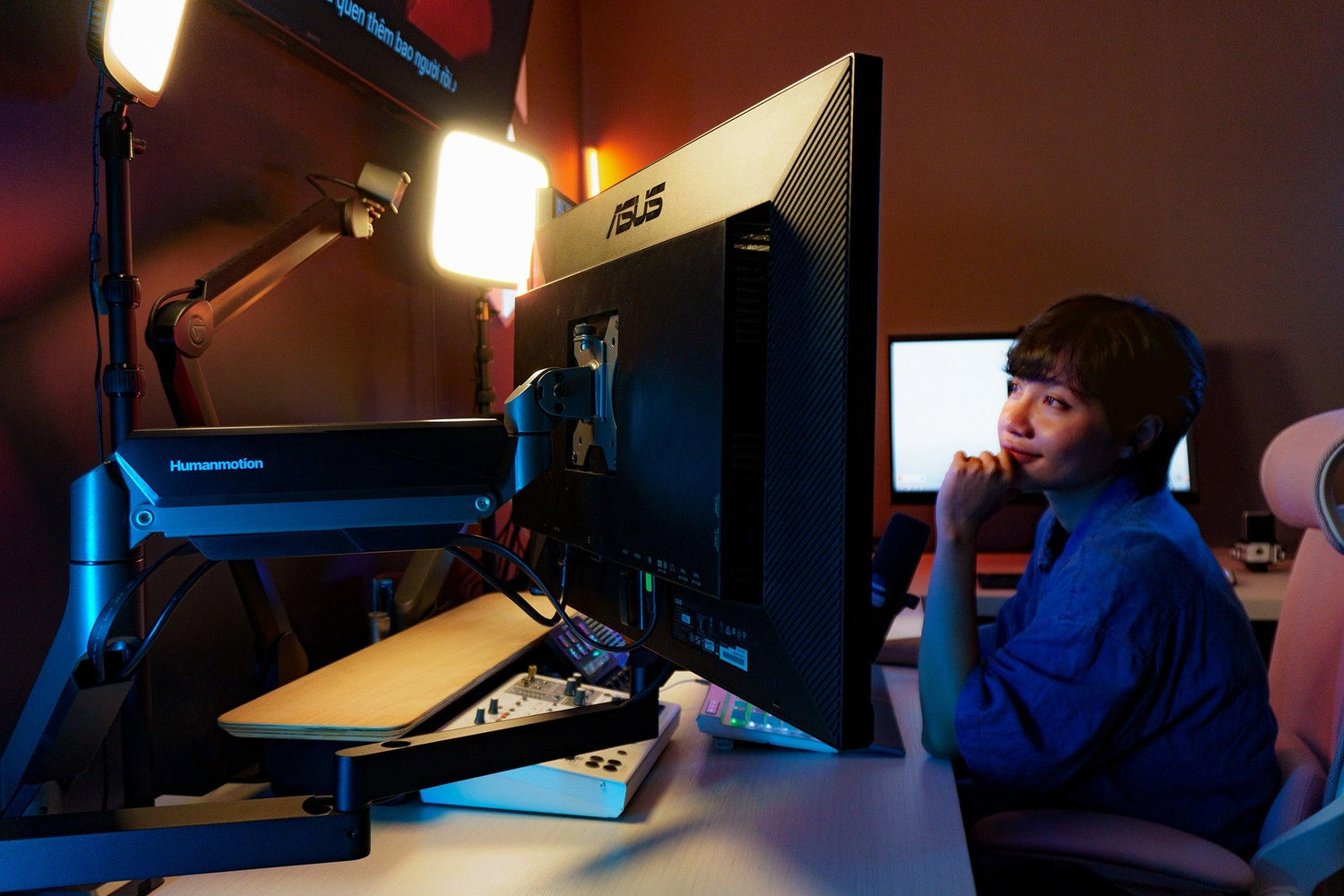

Sharing with you a setup corner I created for a group of "sisters and friends" including a female photographer – Tạ Thu Hiền, an architect, a female journalist, and a female podcaster. After "messing around" in Hiền's studio, it finally took shape. In this article, I will share some basic information, along with some issues when setting up two monitors.
Some Information

A little about the room: its purpose is for work, and usually, 4 people work here – Hiền and 3 other ladies. Hiền is a professional advertising photographer, so naturally, her main work here is image editing.

As you can see in the picture, the room is almost fully equipped for production, from video, podcast, photo editing, design, and more.

First, there are 3 monitors here:
- Main monitor placed in the center - Asus ProArt PA329CV 4K 32", priced around 18 million VND. This monitor has been out for a while, but it boasts 100% sRGB and DCI-P3 coverage, making it great for both Windows and Mac, though I prefer using it with Windows. I'll share more about it in a later article.
- Secondary monitor next to PA329CV - Asus ProArt PA279CV 4K 27", priced around 12.5 million VND. This monitor has a configuration almost identical to the PA329CV. It can be set up vertically or horizontally depending on the situation, but I've noticed most of the ladies prefer it vertically for browsing and viewing images.
- On the right, a workspace for a second person, using a current flagship Asus ProArt monitor for Graphic Designers and Photographers working with prints - Asus ProArt PA32DC 4K 32" OLED. This "friend" has many impressive features, thanks to its OLED panel, it offers an incredibly high contrast ratio of 1,000,000:1, reaching 100,000,000:1 in HDR, and much more.

The common feature of all three is their color gamut, which meets the requirements for each person's work, and especially their DeltaE<2 color deviation, ensuring more accurate color display (PA32DC has DeltaE<1).
Why isn't the best monitor used as the main one? Because it also serves a mobile purpose; it's often taken out of the studio area for photo previews, and sometimes even on location, so it needs to be placed where it's easiest to detach and reattach.

As for the arm, I chose Humanmotion T9 for two main reasons:
- It can support heavy monitors, and is sturdy and robust. Monitors like the PA32DC only weigh 7.6kg, but when hung on a 9kg arm, they vibrate and don't feel secure. Hanging them on a 15kg arm feels more stable and vibrates less.
- The T9 is easy to install and remove, as I mentioned above, the PA32DC is constantly being moved in and out.

From setting up the arm for these two monitors in this room, I wanted to share some experiences using monitor arms for dual monitors, because in many cases, even with two monitors, it's better to use two single arms.
Monitor Arm for Dual Monitors: 2 Single or 1 Dual?

The advantage of using a dual monitor arm for two monitors is that it's much cheaper than buying two single arms. For example, the T9 single arm I bought costs 1.89 million VND, so two would be 3.78 million VND, but a dual arm set is only 2.4 million VND.
Besides, using a dual arm also has many benefits such as:
- Only one base, taking up less space, allowing for more arms like mic arms, lamp arms, etc.
- Neater cable management, all routed to the base and down to the PC more simply than with two single arms.

In this room, I used a wall-mounted desk, leaving a gap to attach the arm, so the space behind the monitor is extremely narrow, making a dual arm unusable.
When using an arm, you typically have these main placement methods:

- Arms folded, parallel to the monitor. This method has the advantage that the system's center of gravity is close to the base, the base bears less load, the desk and monitor vibrate less, and it can be used with thinner desks.

- Arms extended straight, parallel to the monitor. This method also takes up little space behind, like the first method, but the system's center of gravity is further from the base, making it more prone to vibration, requiring a heavier and sturdier desk. In return, the space under the monitor is clearer, and I often place decorative items in this area.

- Arms folded, perpendicular or slightly angled. This placement offers the widest range of motion, making it easiest to pull the monitor closer or push it further away, but it also takes up the most space.

Due to the nature of having only one base, dual arms can mostly only use the third method, thus requiring a very wide space behind to be used correctly and comfortably.

To help you visualize, the image above uses a dual arm, with the desk placed ~8-10cm from the wall. The "elbows" of the upper and lower arms are pushed back, hitting the wall, and cannot position the monitor to the desired layout.

It is imperative to use two single arms in this case, as two single arms can move two bases independently.

I just need to place the arm and monitor in the layout I need, and then adjust the base for the appropriate distance between the two monitors, and it's done.

Therefore, the space behind the monitor will determine which arm system you use for two monitors. If the desk is placed in the middle of the room with empty space behind the monitor, a dual arm is even better, as it's more symmetrically aesthetic and saves a significant amount of space.

Source: Nhà Của Cáo (tinhte)



Leave a comment
This site is protected by hCaptcha and the hCaptcha Privacy Policy and Terms of Service apply.